From your first job post to your new hire's first day.
Onboardila uses AI to create job posts, screen applicants, prepare interviews and generate onboarding materials. Automation connects the steps, so you spend less time on admin and more time making hiring decisions.
From a description to a shortlist
Describe the role and let AI draft the job post and application form. Publish the opening, receive applications, and use AI-assisted CV screening and interview preparation to help decide who moves forward.
2. Hire without starting overOne click from hired to onboarding
When you mark a candidate as hired, Onboardila carries their name and email into onboarding. You add HR-only details, such as salary and start date, and send one link.
3. Get your new hire ready for day oneFill, sign, review, approve
The new hire completes their form and signs their generated documents. You review the submission, request changes if needed, and approve it. They then receive their personalized Welcome Board.
From a description to a shortlist
Five steps. Each shows what starts it, what the system does, what you do and what gets recorded.
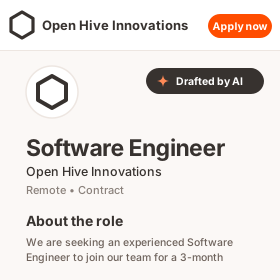
Describe the role. Let AI build the first draft.
Tell Onboardila who you're hiring for. AI drafts the job description, requirements, skills, interview plan and application form. Review and edit everything before saving. You set the pay and number of openings.
- Trigger
- You describe the role in the AI chat.
- System
- Drafts the title, description, requirements, skills, work arrangement, department and an interview plan, plus the matching application form. A CV upload is always the first field, and a consent field to keep their record is always included.
- You
- Review and edit. Set the pay, number of openings, interview rounds and which onboarding flow a hire starts. Pay is never drafted by AI.
- Recorded
- The role is saved as a Draft.
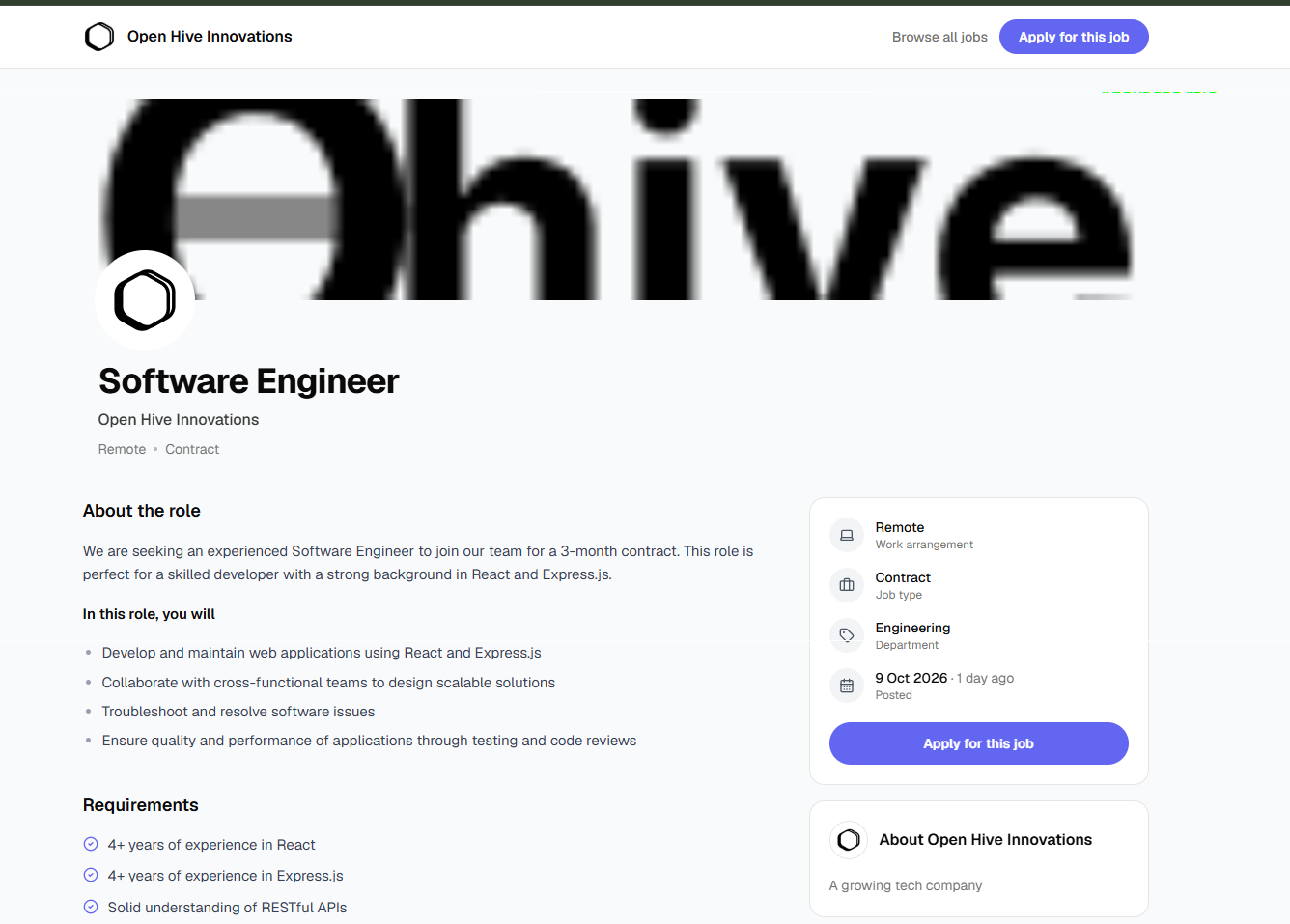
Publish your job. Get it in front of candidates.
Publish a branded job page with your company details, role information and any pay you choose to show. Feature the role on Onboardila's public job board if you like, and let search engines discover the listing. It stays visible only while the role is open.
- Trigger
- You publish the role.
- System
- Creates a public job page with your brand kit, lists the role on the job board if you chose to feature it, and adds Google job markup so it can appear in search.
- Candidate sees
- A branded page with the role summary, pay if you show it, skills and benefits, and the company card.
- Recorded
- The status change, with who made it, in the activity timeline.
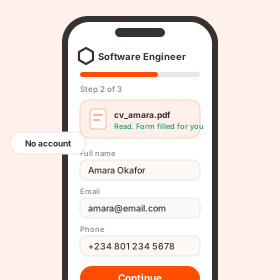
Let applicants apply without the friction.
Candidates apply from their phones without creating an account. Onboardila reads their uploaded CV and pre-fills the application fields for them to check. You get notified when new applications arrive.
- Trigger
- A candidate opens the job page and starts the application.
- System
- Reads an uploaded PDF or Word CV and pre-fills the form for them to check. Uploads are rate-limited. Consent to keep their record is captured on submit.
- You
- See an unread badge on new applicants, and get one digest email summarising them.
- Recorded
- The application, the parsed CV and the consent choice.
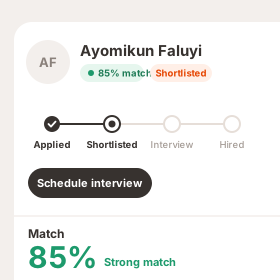
Use AI to prioritize candidates, not decide for you.Paid plans
AI scores applicants against your job requirements and summarizes their match. Review each candidate's CV, application and history, then decide who advances. Moving a candidate between stages is always your action.
- Trigger
- A CV is parsed, or you ask for the list to be ranked.
- System
- Scores each applicant against the role's requirements as a percentage with a one-line summary, colour-coded. If you change the requirements, older scores are marked outdated.
- You
- Open a candidate to see the resume, parsed profile, interviews and timeline, then move them between stages.
- Recorded
- Every stage move, with who made it.
Walk into interviews prepared. Leave with the notes.Paid plans
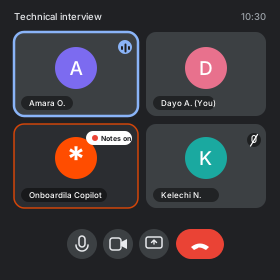
AI drafts questions for each interview round. Interview Copilot transcribes the conversation and prepares a report you can revisit after the call. You run the interview and make the assessment; Copilot only provides supporting information.
- Trigger
- You schedule an interview from the candidate, choose the round and paste your meeting link.
- System
- Emails the candidate an invite with the time, time zone and your meeting link, and sends reminders. AI drafts a guide for the round that you can edit or tailor to the candidate. Interview Copilot joins at the start time, transcribes the call and writes a report.
- You
- Run the interview. Rescheduling or changing the link sends an updated invite.
- Recorded
- The interview, the guide, the transcript and the report. The report is reference for you, not a decision.
They said yes. Onboardila takes care of the paperwork.
Once you mark a candidate as hired, their details carry into onboarding. Your chosen flow brings together the form, document templates and Welcome Board, without rebuilding the process for every person.
Prepare the onboarding
Set up your form, document templates and Welcome Board once, and AI can draft all three from a description for you to review and publish. When you mark a candidate as Hired, their onboarding starts from the flow you chose for the role, with their name and email already filled in. You can switch the flow at that moment.
Send one link
The new hire gets one link to complete their information and review and sign their generated documents, on any device. HR-only details such as salary, start date and manager stay separate from their answers. Set a response deadline: unanswered offers are reminded, then expire. You can revoke an offer, edit its values or extend the deadline.
Review and approve
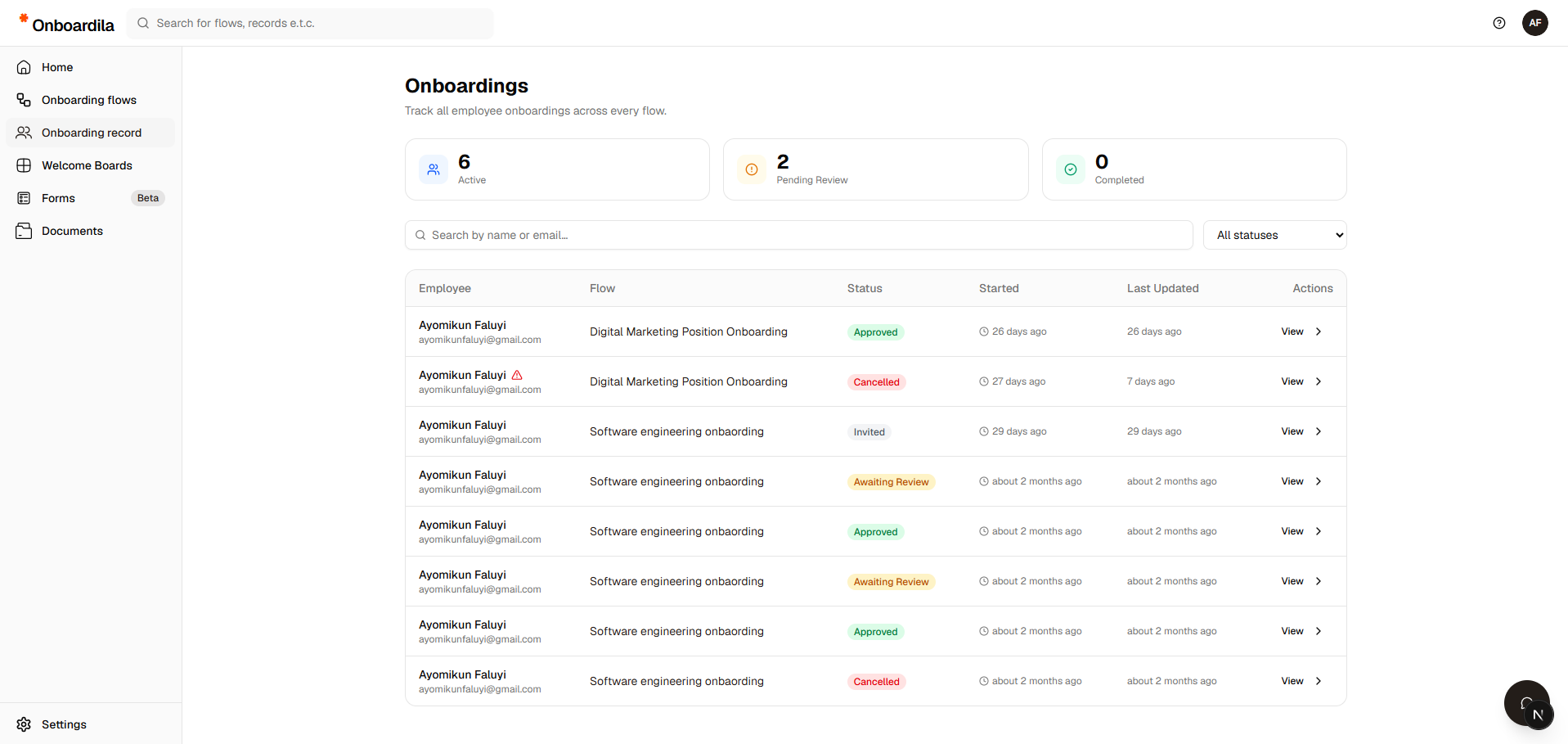
Every onboarding is a tracked record, so you can open it and see exactly what was submitted. Request corrections with a note instead of starting over: the hire updates it and resubmits, and the record keeps the full history. Approve when it is ready, and the final signed documents are generated and stored.
Welcome them in
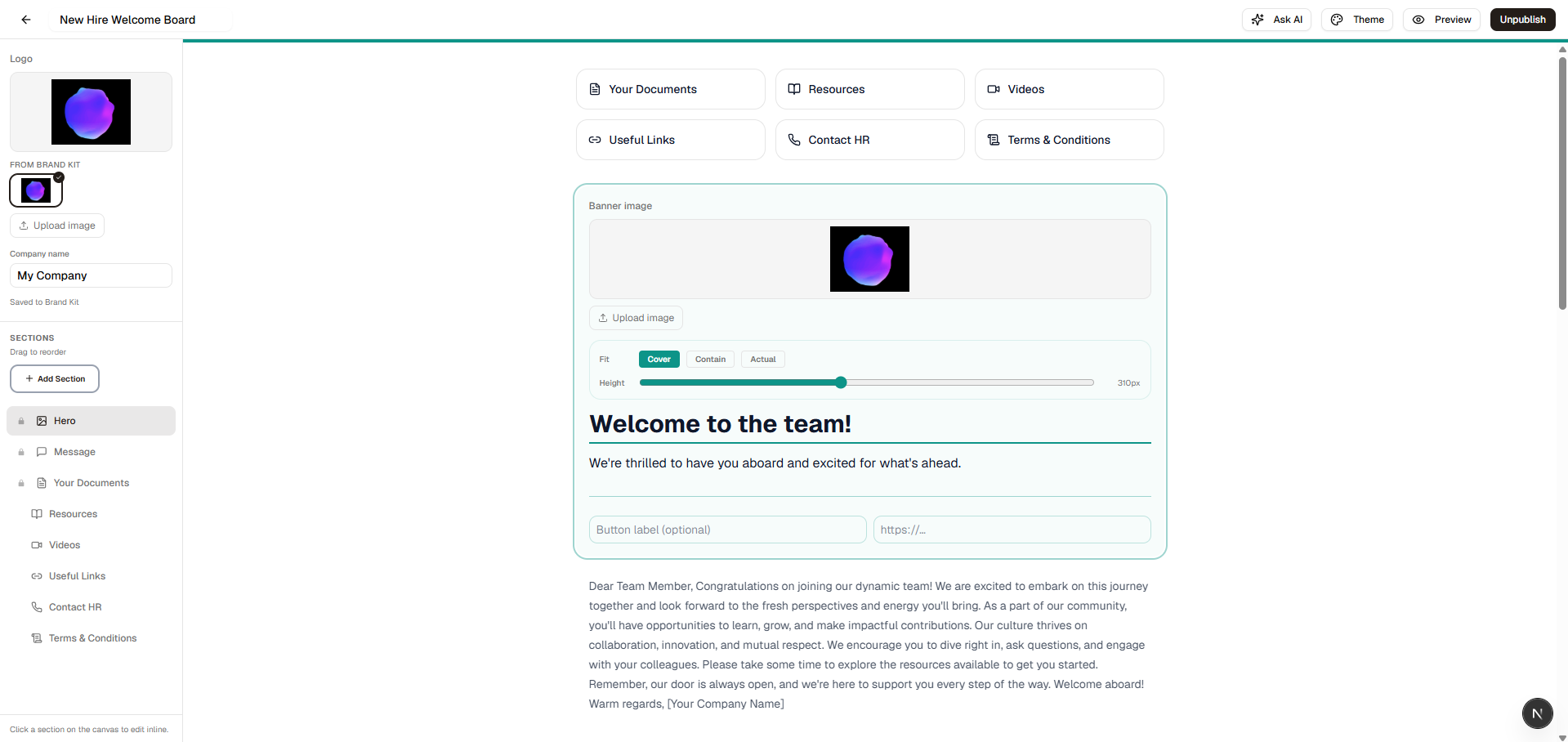
Once approved, the new hire gets their branded Welcome Board: team introductions, first-day instructions and company resources. They can message HR from the link at any point, or decline the offer.
What sits behind the link
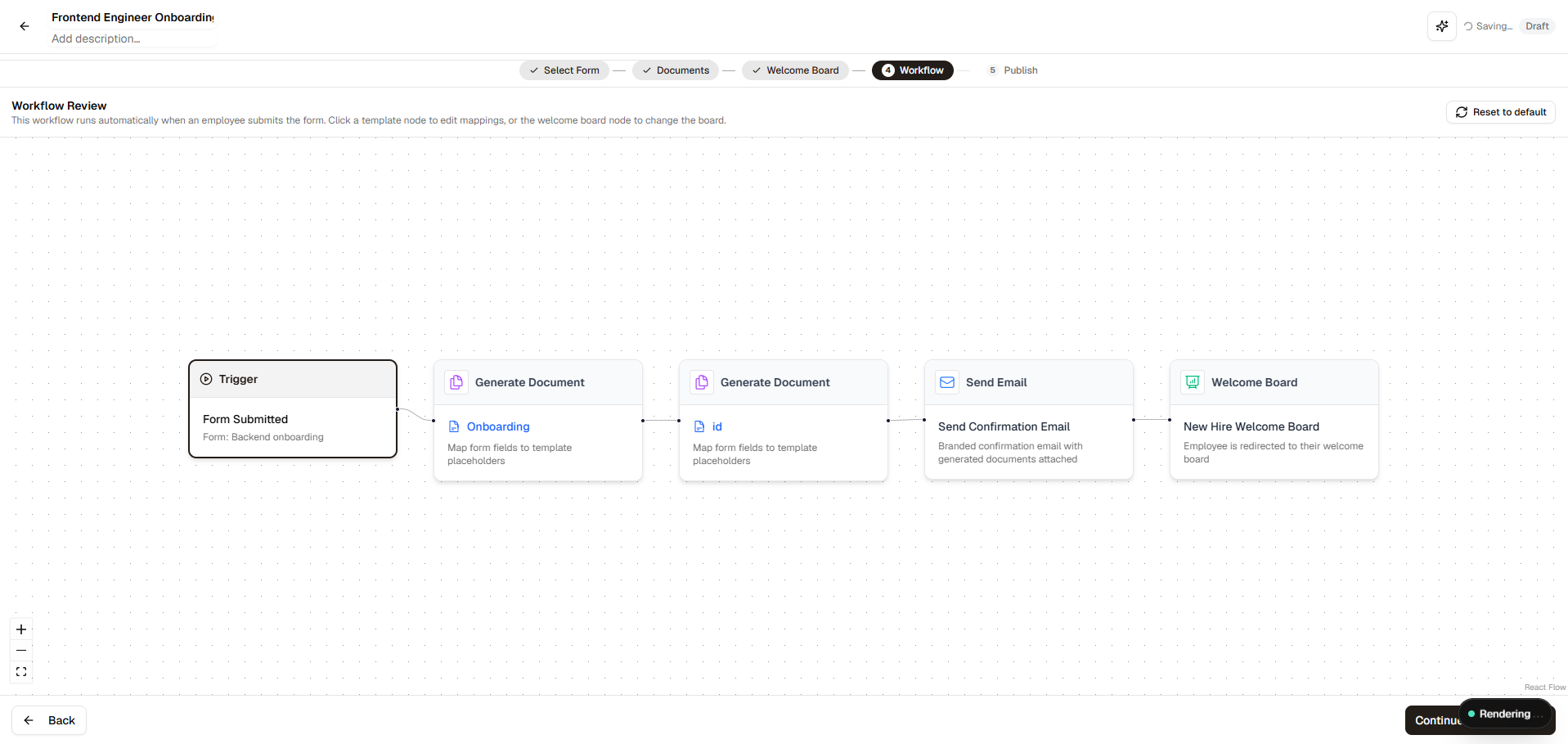
An onboarding flow joins three pieces. You map each document field to a form answer once, and every future submission fills it in. Describe the hire in the AI chat and it drafts all three for you to review and publish.
A form
The questions a new hire answers. 20+ question types, including file upload and signature.
Document templates
Offer letters, NDAs and contracts with data fields. Each field is filled for every hire.
A welcome board
The branded page a hire lands on after approval. Built from blocks in a visual editor.
What happens automatically
The steps Onboardila takes for you, and the rules that apply whether or not you are looking.
When a candidate applies
- Their CV is read the moment it is uploaded, and the form is pre-filled for them to check.
- The application and their consent choice are recorded.
- You get an unread badge, and each recruitment owner receives one digest email of new applicants.
- CVs from applications that were never submitted are deleted.
When an interview is scheduled
- The candidate is emailed an invite with your meeting link, then a reminder 24 hours and 1 hour before.
- If you reschedule or cancel, the old reminders simply do not send.
- Copilot joins at the start time and prepares a report when the call ends. If it is waiting to be admitted, you are nudged to let it in.
When you hire someone
- Onboarding is created from the selected flow, with the candidate's name and email carried forward.
- When the last opening is filled, the role closes itself and everyone still in the pipeline is told they were not selected.
- Hires who have not accepted are reminded on day 3 and day 7, and offers past their deadline expire.
When onboarding is approved
- The final signed documents are generated and stored.
- The record is marked complete.
- The new hire's Welcome Board becomes available.
Where the data goes
- 01
Application
The candidate's answers and parsed CV are stored on their candidate record.
- 02
Hired
Name and email carry into a new onboarding. HR adds salary, start date and manager.
- 03
Documents
Mapped fields merge the answers and HR values into your templates for every hire.
- 04
Signed and approved
The hire signs, you approve, and the final documents are generated and stored.
Salary, start date and other values only HR should enter never appear on the hire's form. They are added when you start the onboarding and flow straight into the generated documents.
How long candidate data is kept
If they agreed to be kept
Counted from the day the role closes or is filled.
If they did not
A link in their confirmation email lets them change their mind.
What is deleted and what stays
CV files, answers, parsed CV, scores, feedback and interview notes are deleted. Name, email, final stage, dates and the activity log stay. Hired candidates are never purged.
What AI does, and who decides
AI drafts, reads and summarises. It does not make hiring decisions.
Who can do what
Workspaces
Everyone has a personal workspace. You can also create organization workspaces, and a recruitment, flow or board belongs to one workspace. Team seats come with the Premium plan.
Owner and Admin
Can change anything in the workspace, whoever created it, and can edit the organization's brand kit.
Member
Can create content and change what they created. Changing someone else's work needs an Admin or an Owner.
How records move: roles, applicants and onboardings
A role, an applicant and an onboarding each move through their own states. Marking a candidate as Hired is the single point where the first two feed the third.
One open role
- Paused means the submission quota was reached.
- Filled means every opening is held by an accepted hire. The role closes itself at that point.
One applicant
- Not selected means the openings were filled. It is not a rejection.
- Declined means the hire turned down the offer. Every move can be reversed.
One new hire
- Changes requested sends it back to the hire, then returns it to Awaiting review.
- This is a simplified view: a few in-between states record who is waiting on whom.
Background housekeeping
- Records past their retention date are reduced to a stub every day (see how long candidate data is kept).
- Copilot calls whose notification was missed are picked up on a daily sweep.
- Subscriptions renew and failed payments are retried.
A few details worth knowing
Nothing is final until you approve
A submission sits in "Awaiting review" until you act on it. Request changes as many times as you need. The record keeps the full history.
Every move is recorded
The audit trail shows who published a role, moved a candidate, hired, rejected or edited an offer, and when.
Each half works on its own
You can run recruiting without onboarding, or send an onboarding to someone you did not recruit through Onboardila.
Spend less time managing hiring. More time making the right decisions.
Create your first role, let AI help with the busywork, and see how Onboardila connects recruitment to onboarding.
Onboarding, automated.